

Quick start
Build and play your first activity in Sequal in a couple of minutes — no account required.
This guide gets you from nothing to your first played activity. You don’t need an account — Sequal works straight away on your device.
-
Open Sequal
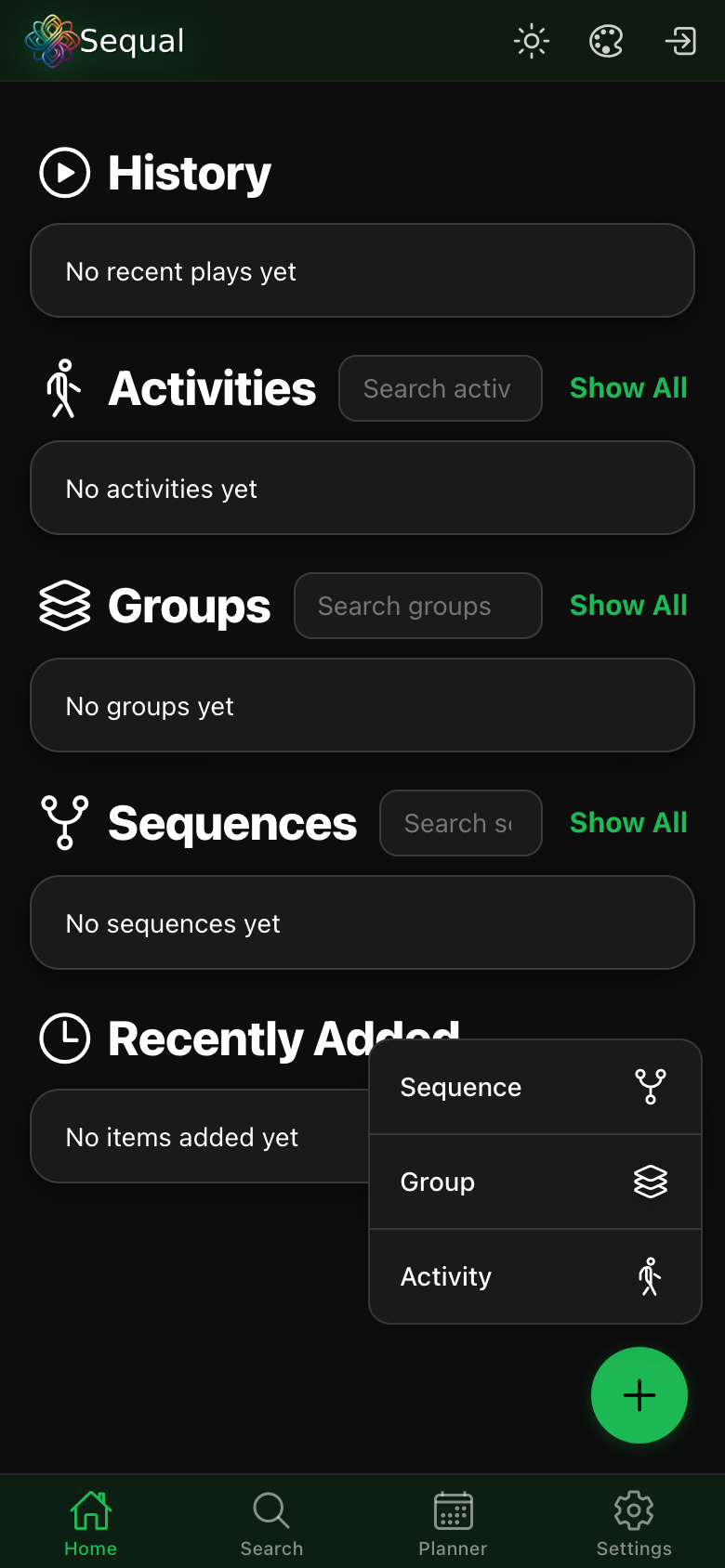
Open the app on your phone or in your browser. You’ll land on the Home screen, which lists your History, Activities, Groups and Sequences. It’s empty to begin with.
-
Tap the green + button
The + button is at the bottom-right of the Home screen. Tap it to open the create menu, which lets you add a Sequence, Group or Activity.
-
Choose Activity
An activity is the smallest building block. Pick a type — for your first one, an Exercise is a good start.
-
Set it up
Give it a name (for example “Push-ups”), then set the timing — sets, reps and rest. You can also add a cover image, a spoken cue or media later.
-
Save and play
Save the activity. It now appears under Activities on Home. Tap it and press play — Sequal counts you through the sets and reps with a visual timer.
Want to combine several activities into a full session? See Groups, sequences & programs.
What’s next
- Create different activity types — cadence, media, breaks and announcements.
- Set up a breathing exercise.
- Subscribe to Sequal Pro for cloud backup & sync across devices.